Tips, Tutorials, Resources for Web Design and Online Marketing

Main Menu

  • Mobile App Development
    • App Tutorials
    • App Reviews
  • Website Guides
  • SMBs & Startups
  • News
  • Guest Posts
  • About
    • Mobile App Development Company Delhi, India
    • Mobile App Development Company Gurgaon
    • Mobile App Development Company Dallas, Florida
    • Website Design Company Delhi
    • WordPress Website Development Company

Tips, Tutorials, Resources for Web Design and Online Marketing

Header Banner

Tips, Tutorials, Resources for Web Design and Online Marketing

  • Mobile App Development
    • App Tutorials
    • App Reviews
  • Website Guides
  • SMBs & Startups
  • News
  • Guest Posts
  • About
    • Mobile App Development Company Delhi, India
    • Mobile App Development Company Gurgaon
    • Mobile App Development Company Dallas, Florida
    • Website Design Company Delhi
    • WordPress Website Development Company
  • 10 Tips To Grow Your Online Business

  • How to Choose the best custom software development companies in India ?

  • 7 Tasks to Complete before Starting Your Website Development Project

  • Online Marketing Tips and Productivity Tools for Small Businesses during Coronavirus

  • Tutorial 2: Which type of website does your business need ?

Mobile App DevelopmentMobile App Tools
Home›Mobile App Development›Phonegap Tutorial 2: Building , Running & Managing your First Phonegap Application

Phonegap Tutorial 2: Building , Running & Managing your First Phonegap Application

By Umesh Sethi
March 13, 2018
5449
0

Assumptions: Phone Gap has been installed, development environment is ready. First basic Phonegap project has been created. Basics of CLI are clear.

So assuming the basic project has been created lets see how to manage, compile and run it.

Serving the Application on Browser

PhoneGap has a really useful command that you will be using the most while developing the application. It basically creates a local Node.js web server with the live reload functionality that serves the application’s content similar to a regular web page. The application works the same way as it does on the mobile device but in this case we are running it in the testing environment.

It was intended to be used with the PhoneGap Developer app but as it is a regular web server and web browser, you can open it on a specific port. I would recommend that you use the Google Chrome web browser as it has great development tools for debugging the pages.

Running a local web server with the content of the application is simple by running the following command:
phonegap serve

The app will run by default on port 3000. It will auto-reload the current page if it detects changes in any of the JavaScript, CSS, or HTML files. To run it inside the web browser, just open the http://localhost:3000 page.

There are a few options that can be used with the command; however, only one is worth mentioning: assigning a different port number. For example, if we want to run on 4000, we will run the following command:

phonegap serve -p 4000

The command will run until it is interrupted by the keyboard shortcut Ctrl + Z.

Note: Though it is quite useful, it is worth knowing that it is not meant to be used for testing everything in a computer’s web browser. The features that require a native API are not reachable, so this mode is useful for building and testing the user interface. Below we’ll have a look at actually making the app run on native devices and the steps involved.

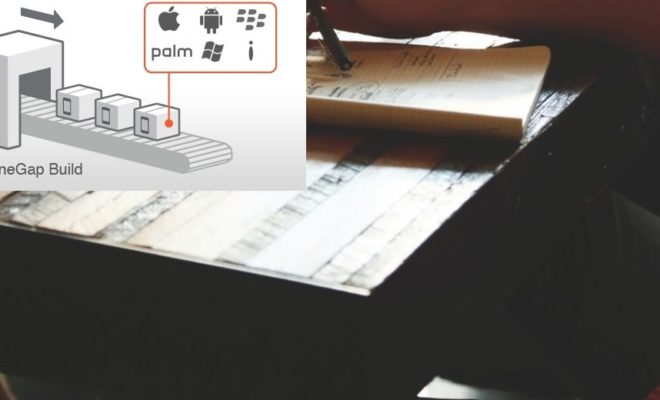
Even Designers can become developers with Phonegap

Even Designers can become developers with Phonegap

Preparing a Phonegap application

Before building an application, all the required source code and assets need to be copied to a specific platform in order to have the latest source code.

To be able to prepare the web assets from the www/ directory, we need to run the following command:

phonegap prepare

You are going to use this frequently, but there are times when you want to prepare a specific platform. You can optionally list them as shown in the following command, where we will prepare the assets only from the android platform:

phonegap prepare android

Once this process has been done, the project is ready to be compiled in a binary application by running the compile command or manually building it in the IDE.

Compiling a PhoneGap Application

After finishing the process of preparing the web assets in specific directories for every platform, we will want to compile the actual code. The project is ready for us to compile a binary application that can be run on the devices.
Here is the simple command to compile your app.

phonegap compile android

As both of the commands are related, we might want to run both of them one after another and so it is better to run both of them in a single line, as shown in the following command:

phonegap prepare android && phonegap compile android

As the previous command is quite common, we have unified it in a single command that prepares the web assets and then compiles it in a binary application. The simplest method is to run the following command:

phonegap build
But beware, this is not the most appropriate way as it builds a binary for every platform and you would ideally want to build and test for a single platform first.

So for that we have:
phonegap build android

I would recommend that you run it with a single platform of developing the application. When the features are done and the application moves to the intensive testing phase, you should build all the platforms at the same time

Another time when you need to run the build command is when you make a release version of the binary application that is ready for deployment to the application store. You can prepare a release version by running the command with the -release option. This command prepares the unsigned release APK file as follows:

phonegap build android —release

Default settings will create an APK file in the debug mode, whereas adding the release option flag will create the APK file in the release mode.

Let’s finally look at running the application now on the device.

Running a PhoneGap Application on device

Building an application and manually installing it on the device can be timeconsuming, so there is another command that does all the work for you. The run command is an all-in-one command that prepares all the web assets for the selected platforms. It compiles the assets in an installable application. After compilation, you can install it in the actual device or an emulator. To run the default application, run the following command:
phonegap run android

Well, it can work without specifying the platform, but that is not really practical as you will not be emulating it on all the device types together not to mention that this command is pretty resource intensive as it is.

Here are some options to be used with the run command:
-emulator: This command is used if you want to build and run the application in the emulator in your computer and since emulator is memory- and processor-intensive, it might affect your computer’s performance and it is recommended that you do not use emulators with a high-screen resolution as the performance might be affected a lot. Run the following command:

phonegap run android —emulator

-nobuild: The nobuild option is useful if you have already built the application before and just want to run it in the device. Building the application is the most time-consuming part so if there were no changes in the code, then you can run the application faster. It is also great for testing on multiple devices sequentially. After you are done testing with one platform, you can run it on another one. An example for running nobuild on an Android is as follows:

phonegap run android —nobuild

Using PhoneGap Build Service

We’ve talked about building the app locally, but you can also use the PhoneGap build service to build your apps.
This is available here, available by Adobe. This is a pretty helpful service with some advantages like:

  • if you use local PhoneGap, Windows applications can be built only on the Windows computer, iOS applications can be built on Mac OS computers only, and Android can be built on any operating system. While using PhoneGap Build, you can build for all three platforms, no matter which OS you are using.
  • They do the work for you in the cloud and your app will always be built with the most up-to-date SDK for the platform you are targeting.
  • Add team members and create roles within your PhoneGap Build projects. Speed up collaboration.

And Yes, they do have a free plan, although somewhat limited to get you started.

Well, that’s it folks for our second tutorial in the PhoneGap Series. Our first tutorial on how to create your first Phonegap app is also there by the way.

If you are looking for an Cross platform App development company in India or a PhoneGap, Cordova app Development Company in India, do contact us on our website.

We also provide Magento Store setup and Installation services from India and can create Magento Powered mobile apps.

Previous Article

Creating your First Phonegap application

Next Article

Why and When to use Ionic for ...

Umesh Sethi

Our company helps convert ideas into mobile apps. We work with international clients and clients in Delhi NCR. As the Project Manager i like sharing tips, tricks and suggestions with clients and partners

Related articles More from author

  • Top 10 Bitcoin Apps for 2018
    Mobile App DevelopmentNew App ReviewsNews

    The Best Bitcoin mobile apps to watch out for in 2018

    December 23, 2017
    By Saurabh Kumar
  • mobile app development, mobiile app programming, Java vs. Kotlin
    Mobile App Development

    Kotlin vs. Java for Android App Development – And the winner is….

    September 9, 2017
    By Umesh Sethi
  • How to create basic first phonegap app tutorial ?
    Mobile App DevelopmentMobile App Tools

    Creating your First Phonegap application

    March 12, 2018
    By Umesh Sethi
  • Top Android Libraries for 2018
    Android Tutorials & TipsMobile App DevelopmentMobile App Tools

    Top 10 Android Development Libraries | Best Android Libraries for Developers

    January 10, 2018
    By Abhay Anand
  • 50 + mobile apps statistics and trends of 2018 to make you look smart
    Mobile App DevelopmentNewsSmall Businesses & Startups

    50 Mobile Usage Statistics and Trends for 2018 and beyond, that you should know

    December 14, 2018
    By Umesh Sethi
  • How to Manage your Mobile App Development
    Mobile App DevelopmentMobile App ToolsSmall Businesses & Startups

    A Guide on How to Hire & Manage your Mobile App Development Company

    November 19, 2017
    By Umesh Sethi

Recommended Articles

  • Android Tutorials & TipsMobile App Development

    10 Best Practices for Mobile App Development in 2018 (updated for 2019)

  • Web Design for Business Owners: What type of website design does your business need ?
    Small Businesses & StartupsWeb

    Tutorial 2: Which type of website does your business need ?

  • featured image web design checklist
    Small Businesses & StartupsWeb

    7 Tasks to Complete before Starting Your Website Development Project

  • Optimising your Play Store Listing, ASO
    Android Tutorials & TipsMobile App DevelopmentMobile App ToolsSmall Businesses & Startups

    How to Optimise your App on Google Play Store, ASO for Play Store Listing ?

Web Design & App Tutorials

  • March 6, 2026

    AI & ML Use Cases for Ecommerce in 2026 – Indian Context

  • November 7, 2020

    10 Tips To Grow Your Online Business

  • October 3, 2020

    10 Reasons to use Woocommerce for your E-commerce Development

  • September 4, 2020

    21 steps to Create a successful e-commerce store ! (Ultimate Guide)

  • August 28, 2020

    How to Choose the best custom software development companies in India ?

  • July 31, 2020

    7 Best Lead Generation Plugins for WordPress in 2020 & beyond

  • July 24, 2020

    7 Tasks to Complete before Starting Your Website Development Project

  • June 24, 2020

    5 practical tips to make your Ecommerce Store a Success

  • May 11, 2020

    Tutorial 4: How to choose the best theme for your business website ?

  • April 17, 2020

    Online Marketing Tips and Productivity Tools for Small Businesses during Coronavirus

  • March 31, 2020

    Tutorial 3 – How to Create a Project Plan / To Do List for your Website Design Project

  • March 11, 2020

    Tutorial 2: Which type of website does your business need ?

Check our Earlier Posts

  • March 2026
  • November 2020
  • October 2020
  • September 2020
  • August 2020
  • July 2020
  • June 2020
  • May 2020
  • April 2020
  • March 2020
  • February 2020
  • September 2019
  • March 2019
  • February 2019
  • January 2019
  • December 2018
  • November 2018
  • April 2018
  • March 2018
  • February 2018
  • January 2018
  • December 2017
  • November 2017
  • October 2017
  • September 2017
  • Recent

  • Popular

  • Comments

  • AI ML Use Cases in Ecommerce

    AI & ML Use Cases for Ecommerce in 2026 – Indian Context

    By Editorial Staff
    March 6, 2026
  • online marketing dashboard opened

    10 Tips To Grow Your Online Business

    By Editorial Staff
    November 7, 2020
  • 10 Reasons to use Woocommerce for your E-commerce Development

    By Saurabh Kumar
    October 3, 2020
  • 21 steps to creating your ecommerce store

    21 steps to Create a successful e-commerce store ! (Ultimate Guide)

    By Umesh Sethi
    September 4, 2020
  • how to find the best custom software development company in India

    How to Choose the best custom software development companies in India ?

    By Abhay Anand
    August 28, 2020
  • Top 10 Bitcoin Apps for 2018

    The Best Bitcoin mobile apps to watch out for in 2018

    By Saurabh Kumar
    December 23, 2017
  • iPhone 8 specifications, iPhone 8 Actual features

    Does the iPhone 10 or iPhone X meet users expectations? Features, Specifications, Details

    By Saurabh Kumar
    September 12, 2017
  • Google Tez App launch in India

    Google Tez App launched – Tez App Review and How to use it.

    By Umesh Sethi
    September 18, 2017
  • mobile app development, mobiile app programming, Java vs. Kotlin

    Kotlin vs. Java for Android App Development – And the winner is….

    By Umesh Sethi
    September 9, 2017
  • Creating a Requirements Document for Mobile App Development

    What should a Requirements Document (or a RFP) for your Mobile App Contain ?

    By Umesh Sethi
    October 17, 2017
  • Shailesh Manjrekar
    on
    September 12, 2020

    21 steps to Create a successful e-commerce store ! (Ultimate Guide)

    Thank you so much, ...
  • Maulik Shah
    on
    September 12, 2020

    How to Choose the best custom software development companies in India ?

    Such an informative post.Thanks ...
  • mayank
    on
    September 4, 2020

    How to Choose the best custom software development companies in India ?

    It's very wonderful information ...
  • Upendra
    on
    August 6, 2020

    7 Tasks to Complete before Starting Your Website Development Project

    Thanks for this blog ...
  • Bharat
    on
    July 7, 2020

    5 practical tips to make your Ecommerce Store a Success

    A very nice content ...

Our Terms of Use | Partners

Visit blogadda.com to discover Indian blogs
Featured on Blog Directory
Creative Spark Solutions is a web & app development company based in Delhi, India. With this blog we continue to connect with developers, clients and anyone interested in mobile & tech news, happenings & articles.
2017, Creative Spark Solutions helping clients in Web, Mobile & Software