Tips, Tutorials, Resources for Web Design and Online Marketing

Main Menu

  • Mobile App Development
    • App Tutorials
    • App Reviews
  • Website Guides
  • SMBs & Startups
  • News
  • Guest Posts
  • About
    • Mobile App Development Company Delhi, India
    • Mobile App Development Company Gurgaon
    • Mobile App Development Company Dallas, Florida
    • Website Design Company Delhi
    • WordPress Website Development Company

Tips, Tutorials, Resources for Web Design and Online Marketing

Header Banner

Tips, Tutorials, Resources for Web Design and Online Marketing

  • Mobile App Development
    • App Tutorials
    • App Reviews
  • Website Guides
  • SMBs & Startups
  • News
  • Guest Posts
  • About
    • Mobile App Development Company Delhi, India
    • Mobile App Development Company Gurgaon
    • Mobile App Development Company Dallas, Florida
    • Website Design Company Delhi
    • WordPress Website Development Company
  • 10 Tips To Grow Your Online Business

  • How to Choose the best custom software development companies in India ?

  • 7 Tasks to Complete before Starting Your Website Development Project

  • Online Marketing Tips and Productivity Tools for Small Businesses during Coronavirus

  • Tutorial 2: Which type of website does your business need ?

Mobile App Development
Home›Mobile App Development›How to Install , Manage, Remove Plugins in Phonegap using CLI, Plugman

How to Install , Manage, Remove Plugins in Phonegap using CLI, Plugman

By Abhay Anand
March 26, 2018
4203
0

Assumptions: You have phonegap installed and have used basic Phonegap CLI commands. You have already build simple first Phonegap app

Plugins are created specific to each mobile platform basis, which means not all plugins support all the platforms. However, most of the popular plugins support iOS and Android. All the Cordova plugins that are managed by the Apache Foundation support all three major mobile platforms: iOS, Android, and Windows.

Starting with V 3.0, API access to the native features is separated from the core PhoneGap by plugins. This means that PhoneGap doesn’t provide any plugin installed by default and they need to be managed using command-line interface (CLI), Git repository, plugman, or npm, the new upcoming standard for plugins.

When you create a new PhoneGap project, it does not have any plugins present. This is the new default behaviour. Any plugins that you need, even the core plugins, must be explicitly added.

There are hundreds of plugins that take care of most of the native features, and if there is any missing, Phonegap also allows you to create these plugins.
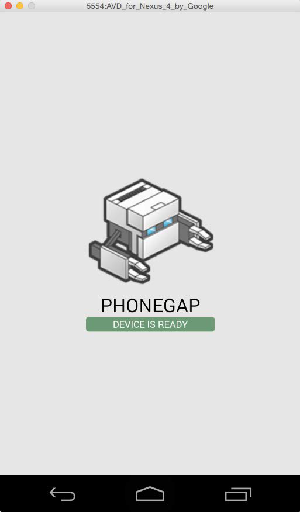
Phonegap rendered Hello World

Installing plugins

Let’s look at three ways to manage plugins for the application.
– Cross-platform workflow: The PhoneGap’s command-line interface (CLI) tool is used to add plugins, which enables you to manage multiple mobile platforms at the same time
– Platform-centered workflow: The Plugman’s CLI tool is on a lower level and is used to manage each mobile platform separately
– Github Repositories through CLI: Easy to use through the CLI, you can install and manage plugins from their Github repos.

The plugins that are available in the search are residing in the Cordova Plugin Registry service and are identified by the plugin ID. So let’s look at how to Search the Plugin by keyword first.
(Note: All the commands except creating a new project should be run in the working directory for a project).

phonegap plugin search <keyword>

Once you see the plugin that fits the needs of your app, it can be installed with a simple command. Every plugin is identified by the plugin ID, which you can see from the result:

phonegap plugin add <plugin id>

Besides adding plugins by the plugin ID, plugins can be added from the remote Git repository as well, typically a GitHub repository:

phonegap plugin add <full git repository url>

Example:

phonegap local plugin add https://git-wip-us.apache.org/repos/asf/cordova-plugin-camera.git

You can simply add a plugin from the local directory as well. This is suitable if you are developing your own plugin or downloading a source for the plugin:

phonegap plugin add <full path to directory>

Listing Plugins

It is simple to list all the currently installed plugins for the application, just by running the following command:

phonegap plugin ls

This will show all the currently installed plugins. Specific to our example, it will return the previously installed plugin.

Removing Plugins

Often we also need to remove extra or unnecessary plugins or plugins that may be unstable. How to do so using the CLI.

phonegap plugin rm <plugin ID>

Installing Plugman & Using it

Plugman is a utility to help plugin management in Cordova / Phonegap. The prerequisites to install the Plugman utility are Node.js and git. If you have followed the instructions on how to install PhoneGap, then you only need to install the Plugman utility with the following command:

npm install -g plugman

You can search for the existing plugins from the same plugin repository with the following command:

plugman search <keyword>

. This searches in http://registry.cordova.io which the official cordova plugin repository

Installing Plugins with Plugman

$ plugman install --platform <ios|android|blackberry10|wp8> --project <directory> --plugin <name|url|path> [--plugins_dir <directory>] [--www <directory>] [--variable <name>=<value> [--variable <name>=<value> ...]]

Let’s look at the various options provided here:

name: The directory name where the plugin contents exist. This must be an existing directory under the –plugins_dir path (see below for more info) or a plugin in the Cordova registry.

url: A URL starting with https:// or git://, pointing to a valid git repository that is clonable and contains a plugin.xml file. The contents of this repository would be copied into the –plugins_dir.

path: A path to a directory containing a valid plugin which includes a plugin.xml file. This path’s contents will be copied into the –plugins_dir.

Other parameters:
–plugins_dir: defaults to /cordova/plugins, but can be any directory containing a subdirectory for each fetched plugin.

–www: defaults to the project’s www folder location, but can be any directory that is to be used as cordova project application web assets.

–variable: allows to specify certain variables at install time, necessary for certain plugins requiring API keys or other custom, user-defined parameters. Please see the plugin specification for more information.

Removing Plugins with Plugman

plugman uninstall —platform <ios|android|…> —plugin <plugin ID>

That’s a quick look at using the CLI and Plugman utility for plugin management in PhoneGap. We’ll shortly look at how to use npm for the same and also few of the latest plugins for PhoneGap. However if you’re simply looking for Mobile App Development from Delhi,India ; just check our relevant web pages.


Previous Article

Why and When to use Ionic for ...

Next Article

15 of the most useful and popular ...

Abhay Anand

Hi Folks, this is Abhay here. I am into Digital Marketing and SEO and a huge fan of the startup eco-system here in India. Looking to interact with like minded folks and learn more about mobile app and digital trends and happenings.

Related articles More from author

  • 50 + mobile apps statistics and trends of 2018 to make you look smart
    Mobile App DevelopmentNewsSmall Businesses & Startups

    50 Mobile Usage Statistics and Trends for 2018 and beyond, that you should know

    December 14, 2018
    By Umesh Sethi
  • Top Android Libraries for 2018
    Android Tutorials & TipsMobile App DevelopmentMobile App Tools

    Top 10 Android Development Libraries | Best Android Libraries for Developers

    January 10, 2018
    By Abhay Anand
  • Mobile App DevelopmentMobile App Tools

    Phonegap Tutorial 2: Building , Running & Managing your First Phonegap Application

    March 13, 2018
    By Umesh Sethi
  • Android Tutorials & TipsMobile App Development

    10 Best Practices for Mobile App Development in 2018 (updated for 2019)

    April 18, 2018
    By Umesh Sethi
  • What features should your On-Demand App have ?
    Mobile App DevelopmentSmall Businesses & Startups

    What Features to add in your On Demand App Like Swiggy, Food Delivery etc., Uber of X etc.

    February 27, 2019
    By Abhay Anand
  • Ionic in Hybrid applications
    Mobile App Development

    Why and When to use Ionic for building your Hybrid mobile app ?

    March 16, 2018
    By Abhay Anand

Recommended Articles

  • Lead Generation Plugins for WP websites
    Web

    7 Best Lead Generation Plugins for WordPress in 2020 & beyond

  • Location Services tutorial via Fused Location provider for Android
    Android Tutorials & Tips

    How to Handle Location when Developing an Android App [Fused Location, Nougat]

  • Optimising your Play Store Listing, ASO
    Android Tutorials & TipsMobile App DevelopmentMobile App ToolsSmall Businesses & Startups

    How to Optimise your App on Google Play Store, ASO for Play Store Listing ?

  • Choosing a great domain name for your website
    Small Businesses & StartupsWeb

    How to Choose the Best Domain name for your website (20 tips , steps & tools)

Web Design & App Tutorials

  • March 6, 2026

    AI & ML Use Cases for Ecommerce in 2026 – Indian Context

  • November 7, 2020

    10 Tips To Grow Your Online Business

  • October 3, 2020

    10 Reasons to use Woocommerce for your E-commerce Development

  • September 4, 2020

    21 steps to Create a successful e-commerce store ! (Ultimate Guide)

  • August 28, 2020

    How to Choose the best custom software development companies in India ?

  • July 31, 2020

    7 Best Lead Generation Plugins for WordPress in 2020 & beyond

  • July 24, 2020

    7 Tasks to Complete before Starting Your Website Development Project

  • June 24, 2020

    5 practical tips to make your Ecommerce Store a Success

  • May 11, 2020

    Tutorial 4: How to choose the best theme for your business website ?

  • April 17, 2020

    Online Marketing Tips and Productivity Tools for Small Businesses during Coronavirus

  • March 31, 2020

    Tutorial 3 – How to Create a Project Plan / To Do List for your Website Design Project

  • March 11, 2020

    Tutorial 2: Which type of website does your business need ?

Check our Earlier Posts

  • March 2026
  • November 2020
  • October 2020
  • September 2020
  • August 2020
  • July 2020
  • June 2020
  • May 2020
  • April 2020
  • March 2020
  • February 2020
  • September 2019
  • March 2019
  • February 2019
  • January 2019
  • December 2018
  • November 2018
  • April 2018
  • March 2018
  • February 2018
  • January 2018
  • December 2017
  • November 2017
  • October 2017
  • September 2017
  • Recent

  • Popular

  • Comments

  • AI ML Use Cases in Ecommerce

    AI & ML Use Cases for Ecommerce in 2026 – Indian Context

    By Editorial Staff
    March 6, 2026
  • online marketing dashboard opened

    10 Tips To Grow Your Online Business

    By Editorial Staff
    November 7, 2020
  • 10 Reasons to use Woocommerce for your E-commerce Development

    By Saurabh Kumar
    October 3, 2020
  • 21 steps to creating your ecommerce store

    21 steps to Create a successful e-commerce store ! (Ultimate Guide)

    By Umesh Sethi
    September 4, 2020
  • how to find the best custom software development company in India

    How to Choose the best custom software development companies in India ?

    By Abhay Anand
    August 28, 2020
  • Top 10 Bitcoin Apps for 2018

    The Best Bitcoin mobile apps to watch out for in 2018

    By Saurabh Kumar
    December 23, 2017
  • iPhone 8 specifications, iPhone 8 Actual features

    Does the iPhone 10 or iPhone X meet users expectations? Features, Specifications, Details

    By Saurabh Kumar
    September 12, 2017
  • Google Tez App launch in India

    Google Tez App launched – Tez App Review and How to use it.

    By Umesh Sethi
    September 18, 2017
  • mobile app development, mobiile app programming, Java vs. Kotlin

    Kotlin vs. Java for Android App Development – And the winner is….

    By Umesh Sethi
    September 9, 2017
  • Creating a Requirements Document for Mobile App Development

    What should a Requirements Document (or a RFP) for your Mobile App Contain ?

    By Umesh Sethi
    October 17, 2017
  • Shailesh Manjrekar
    on
    September 12, 2020

    21 steps to Create a successful e-commerce store ! (Ultimate Guide)

    Thank you so much, ...
  • Maulik Shah
    on
    September 12, 2020

    How to Choose the best custom software development companies in India ?

    Such an informative post.Thanks ...
  • mayank
    on
    September 4, 2020

    How to Choose the best custom software development companies in India ?

    It's very wonderful information ...
  • Upendra
    on
    August 6, 2020

    7 Tasks to Complete before Starting Your Website Development Project

    Thanks for this blog ...
  • Bharat
    on
    July 7, 2020

    5 practical tips to make your Ecommerce Store a Success

    A very nice content ...

Our Terms of Use | Partners

Visit blogadda.com to discover Indian blogs
Featured on Blog Directory
Creative Spark Solutions is a web & app development company based in Delhi, India. With this blog we continue to connect with developers, clients and anyone interested in mobile & tech news, happenings & articles.
2017, Creative Spark Solutions helping clients in Web, Mobile & Software