Hi Folks,
This will be probably our last post of 2018 and so we are writing about a topic that needs to be implemented as soon as possible on your wordpress website. And which is going to be important in 2019 for sure.
When we set-up a WordPress website, one of main fears in our mind is that wordpress is such a widely used platform and so widely accessible, isn’t it prone to hacks and security attacks.
WordPress is very well maintained and the WordPress team is constantly working to improve and provide releases in a very timely manner to users across the globe. But still, like every platform, WordPress is prone to attacks and hacking attempts.
Scope: In this article we attempt to look at a couple of Plugins which we have personally used and how they can be used to make your wordpress website more secure. Let’s check out: All In One WP Security & Firewall vs. Wordfence Security.
1. Wordfence Security
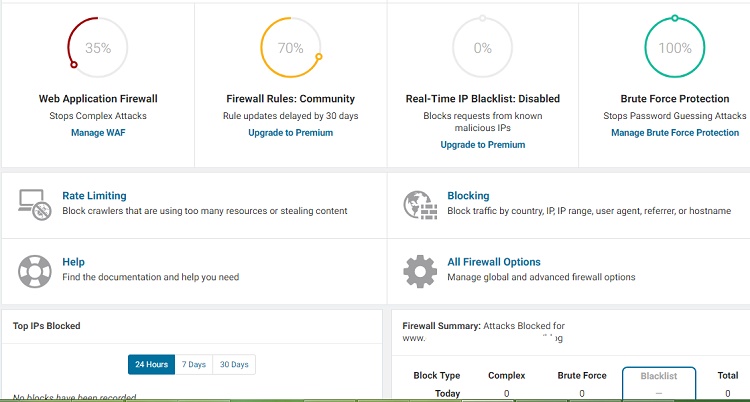
What does the Wordfence Security Plugin do?
Briefly, the Wordfence Security plugin provides the following protection:
1. Security Scanning (Real time Malware signatures require Premium)
2. IP Blocking including Geographical Blocking (Premium)
3. Website Firewall (Free)
4. Rate Limiting (Free)
5. Brute Force Protection (Free)
6. 2 Factor Authentication
Is Wordfence Security a free or Premium Plugin?
Wordfence Security has both a Free and a Premium version. The free version does have some basic features which may be adequate for the smaller websites or those with low traffic or threat perception.
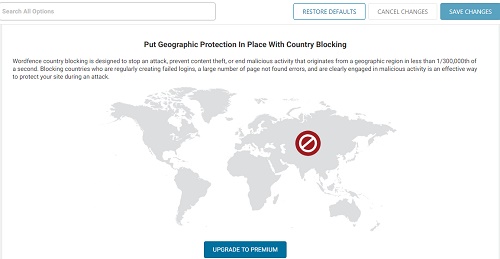
Why do we recommend Wordfence Security ?
We have used Wordfence Security and found it to be pretty sharp when handling the firewall and any Brute Force attacks. We have also seen it used by very large and small organizations and recommended by colleagues as well. It is in-fact perhaps one of the most widely used Security Plugins in the WordPress ecosystem. Whereas the free features are a little lacking as compared to All in One WP Security – it’s wide usage and reputation is without doubt.
Which specific feature of Wordfence Security do we like ?
Wordfence security packs decent scanning and Firewall features and we like the dashboard reports and how they show the summary of attacks blocked etc. Many of the features are paid but the scanning and Firewall makes it a worthwhile Security plugin for your wordpress website.
You can Get Wordfence Security Plugin here or add it through Add Plugin Options in the Admin sidebar of WordPress after searching for it.
– WordPress Version: 3.9 or higher
– Reviews: 5 Star (3000+), 1 Star (125)
As at time of Publish.
2. All in One WP Security & Firewall
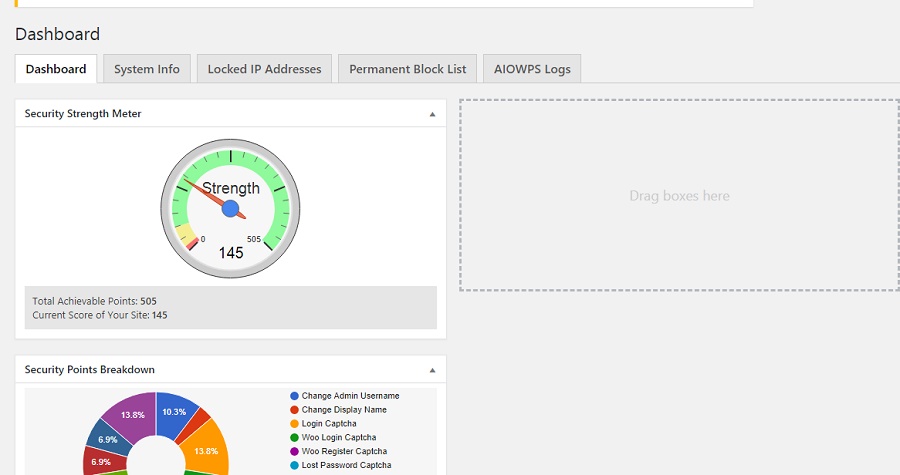
What features does All in One WP Security have ?
All in One WP Security has the following key features and sections:
1. User and Admin Security Account Security
2. User Registration and Login Security
3. Database Security
4. Filesystem Security
5. Blacklisting & Whois Lookup
6. Firewall
7. Brute Force Check
8. SPAM Prevention
9. Scanner
10. Dashboard
11. Maintenance and Miscellaneous
As you can see the security features are pretty extensive and all of this is available in the Free version which is amazing. These kind of features even beat those available in a plugin like Wordfence.
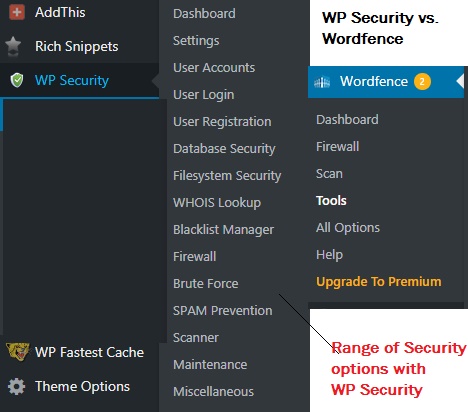
A full All in One WP Security plugin configuration guide is out of scope of this article here but we will surely provide you some tips on using WP Security Plugin at a later stage.
Is All in One WP Security Plugin Free or Premium ?
WP Security is a completely FREE Plugin and that’s what makes it so great. You are getting loads of security features including a full fledged firewall, Spam check, brute force protection, file protection etc. for free.
Why do we recommend WP Security ?
We found WP Security to be a really good security plugin to have. It does have all the usual features such as Firewall, admin protection, directory protection, spam comment protection etc. But very importantly all of these features are FREE to USE (as in December 2018 , Jan 2019 atleast). The level of protection it is providing in its free version is really good.
The other reason is that whereas the settings and configurations are extensive, it is fairly easy to set-up a basic protection. The user friendliness allows you to take back-up of database, .htaccess etc. before implementing the security. You can also restore and deactivate certain features such as firewall, security – if you feel that may be interfering with the functioning of your website – all from the Plugin itself. So it is very convenient to use.
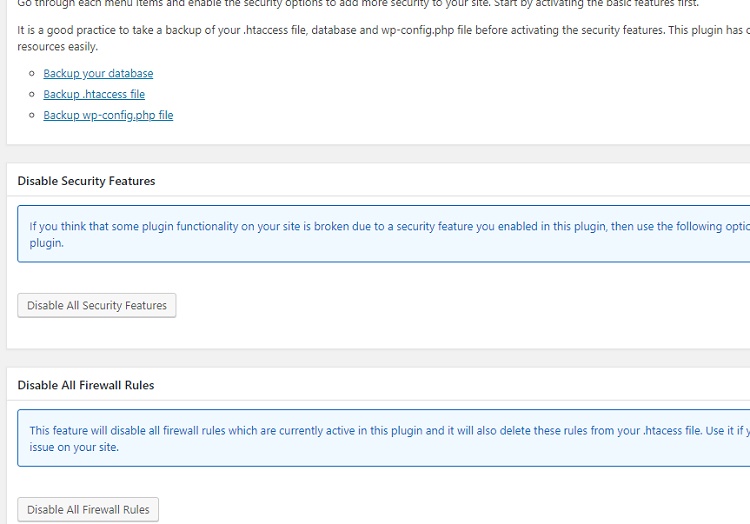
A look at how you can revert security settings in case of un-forseen issues or take backup from the plugin itself.
What is the best feature of WP Security according to us ?
It’s difficult to rate one feature because it has a lot of security functionality. But if I was to pick one, i would say that the way the points system has been created to show the points you add at each step or activation of each security measure, is really intuitive and user friendly. Apart from this , SPAM protection from Bots, Pingback etc., File security, Database security all are very necessary security areas addressed by this plugin and quite deeply with multiple options and explanation for each option.
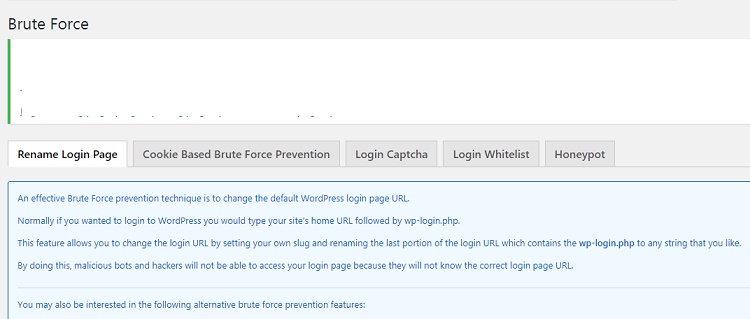
Example of how customized and deeply one can apply a specific protection in WP Security
You can Get All in One WP Security plugin here: or Find it while Adding New Plugin’s in your WordPress Admin sidebar
– WordPress Version: 4.7 or higher
– Reviews: 5 Star (743+), 1 Star (31)
As at time of Publish.
NOTE: This article is not meant as formal security advice and should not be taken as such. Creative Spark is not liable , nor provides any warranty or undertaking as to the accuracy or correctness of provided information as features, functionality, pricing, fitness of use of 3rd party plug-ins may change from time to time.
PS: If you are looking for security solutions and web application security testing / Web VAPT within Delhi, Gurgaon, Noida, Mumbai, do contact us – maybe we can help.